Elementor Pro v3.34.0 advances Editor V4 with atomic design, expanded dynamic support, accessibility updates, and multiple critical fixes.
Introduction: An Evolutionary Update in the Elementor Pro Ecosystem
With the release of Elementor Pro v3.34.0 on December 22, 2025, Elementor continues to push forward its next-generation editing experience, centered on the re-architected Editor V4 framework. This version is not merely an incremental maintenance release; it represents a strategic enhancement of the platform’s modular design capabilities, accessibility, dynamic content support, and integration extensibility, while also building on the stability improvements introduced across the 3.33.x series.
Elementor Pro is the commercial extension of the core Elementor Website Builder plugin, designed to provide professional designers and developers with advanced tools such as theme building, dynamic content, and global design system features. Version 3.34.0 carries forward this ethos, placing particular emphasis on expanding atomic editing capabilities, refining responsive design controls, and addressing long-standing user experience issues that impacted global workflows.
This article offers a detailed and structured account of what’s new in Elementor Pro v3.34.0, how it differs from its immediate predecessors, and the practical implications for site builders and agencies that rely on Elementor to deliver high-quality WordPress experiences.
1. Strategic Framework: Editor V4 and the Atomic Vision
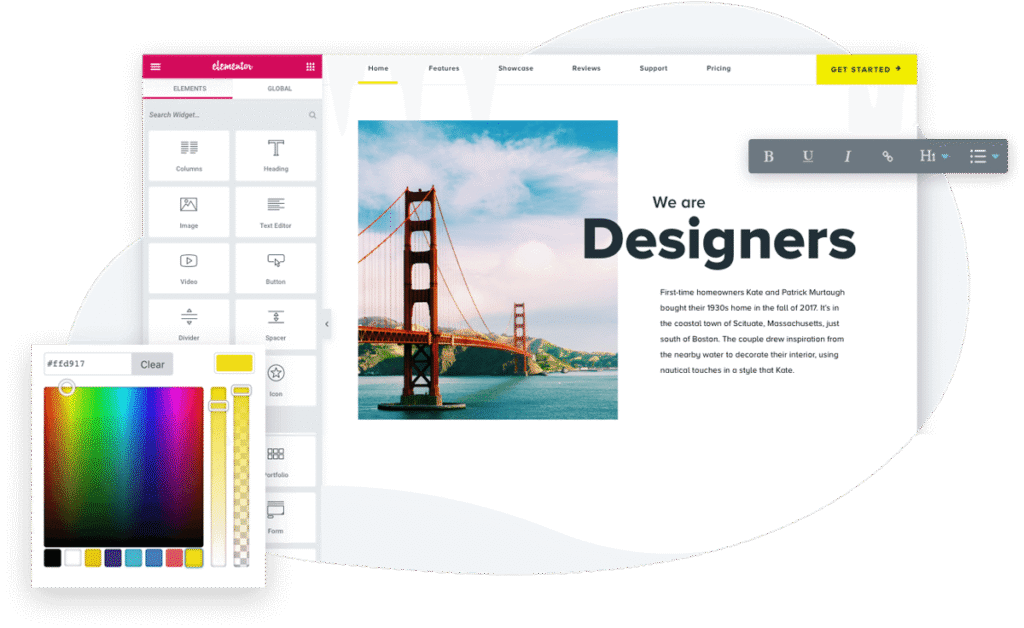
At the heart of Elementor Pro v3.34.0 lies Editor V4, the next evolution of Elementor’s interface and rendering engine. Editor V4 is built around atomic design principles, enabling granular control over layout, styling, behavior, and composition through modular building blocks known as Atomic Elements.
Unlike the legacy V3 model, which relied heavily on monolithic widgets and containers, Editor V4 aims to expose fundamental structural and visual building blocks that are predictable, extensible, and optimized for clean markup. Version 3.34.0 continues this transition by introducing new atomic features, expanded conditions support, and refined CSS handling.
Although Editor V4 remains under active development and experimental in nature, these enhancements highlight Elementor’s long-term direction toward a CSS-first, class–driven workflow that encourages reusable design patterns and consistent styling behavior.
2. New Features in Elementor Pro v3.34.0
Version 3.34.0 introduces several significant features that collectively enhance design flexibility, responsive control, and dynamic integration. The most notable additions are summarized and contextualized below.
2.1 Display Conditions on Atomic Elements
One of the most impactful additions in this release is the inclusion of Display Conditions support for Atomic Elements. Display Conditions allow designers to define precise rules that determine whether a specific element or group of elements should be visible under certain criteria—such as user login status, date/time, specific user roles, or other dynamic triggers.
In prior versions, Display Conditions were majorly confined to higher-level widgets and template conditions. With v3.34.0, this capability has been extended deep into the atomic building blocks, giving designers far more flexibility to control content visibility at granular levels without resorting to custom code. This change streamlines personalization and conditional content workflows directly within the editing canvas.
2.2 Enhanced Dynamic Tag Support
Dynamic content remains one of Elementor Pro’s key strengths. In 3.34.0, support for various dynamic tags has been broadened:
- ACF (Advanced Custom Fields) Field Support: Users can now insert ACF field data directly into a broader set of elements without workarounds, improving integration with custom field frameworks.
- Google Calendar Dynamic Tag in Contact URLs: This enhancement allows designers to dynamically insert Google Calendar links—useful for appointment scheduling or event-specific call-to-action buttons.
- Telephone Link Support in Contact URL Dynamic Tags: Designers can now dynamically apply telephone links to Contact URL fields, improving mobile usability for contact-driven sections.
- ACF Image Dynamic Tag Support: Enabling dynamic image sources from ACF fields increases flexibility in templated content, especially for custom post types and portfolio pieces.
These enhancements reduce dependency on third-party add-ons to bring dynamic data into templates and streamline content personalization.
2.3 Media Queries in Desktop Custom CSS
A tactical but powerful improvement is the ability to leverage media queries within Custom CSS for the Desktop breakpoint in Editor V4. Prior to this release, breakpoint-specific CSS control was limited, necessitating additional custom scripts or theme overrides to achieve certain responsive behaviors. By enabling this directly in the editor, Elementor significantly enhances the responsive toolkit available to designers.
2.4 Accessibility Improvements
Accessibility continues to be a priority, as evidenced by the decision to remove purely decorative icons in the Flip Box widget from the accessibility tree. Screen readers will no longer announce these non-semantic visuals, improving the browsing experience for users relying on assistive technologies. While subtle, these refinements contribute to cleaner semantic markup and more accessible designs.
3. Tweaks and Refined UX Controls
Beyond headline features, Elementor Pro v3.34.0 contains a broad range of editoric tweaks and user experience improvements that refine the interface and rendering logic.
3.1 Custom CSS Output Enhancements
Elementor has continued to refine how CSS output is managed under the atomic architecture. In addition to enabling media queries, tweaks were made to how CSS logical properties (such as text-alignment controls that respect writing modes and RTL layouts) are applied. Improved RTL rendering ensures right-to-left languages display more consistently, supporting global design deployments.
3.2 UI Workflow Enhancements
The editor UI has seen several ergonomic refinements that reduce friction and make complex design tasks more intuitive:
- Improved Link Control Output: Consistency in how link attributes are rendered on the frontend improves reliability across various elements.
- Popover Reset Options: Adding a reset option within popover dialogs gives users a quick way to revert changes without manually undoing multiple settings.
- Improved Border Control Layouts: Simplifies workflows related to elements with borders, enabling clearer controls and consistent behavior across element types.
- Span Option in Paragraph Atom: Allows inline semantic control within paragraph content, giving typographic fine-tuning without resorting to HTML editing.
These UI enhancements, while incremental, collectively make the editing experience smoother and more predictable for both novice and advanced users.
3.3 Template Library and Folder Behavior Improvements
The Template Library, a key component of reusable design assets in Elementor, has also seen behavior improvements. Dropdown folder behavior is more reliable, reducing UI glitches that could previously interrupt workflows when browsing large libraries of templates. The merge of import/export customization features further consolidates management tools for templates and global widgets.
4. Bug Fixes and Stability Enhancements
While new features drive excitement, stability and reliability are foundational to professional web design workflows. Elementor Pro v3.34.0 addresses a series of fixes that resolve edge cases and improve editor resilience.
4.1 Localization and Template Library Translation Fixes
Prior versions (notably 3.33.x) exhibited issues where the Website Template library was displayed in English regardless of the user’s configured language. This update corrects that behavior, ensuring localized admin experiences align with user expectations and regional settings.
4.2 Custom CSS Field Character Handling
A fix was implemented to prevent the Custom CSS field from breaking when certain characters were inserted. This is especially relevant for users writing advanced selectors or integrating third-party CSS rules into their designs, as floating syntax errors previously could crash the editor or block save operations.
4.3 Transform and Hover State Fixes
Under the atomic editor, transform values and hover states sometimes did not persist correctly when class-level defaults were applied, leading to inconsistent behavior between edit and frontend views. These inconsistencies are addressed, improving predictability for interactive styles.
4.4 Fatal Error Prevention When V4 Is Disabled
Editor V4 is still experimental and can be toggled on/off. Previously, pages containing atomic elements could trigger fatal errors if V4 was deactivated, disrupting site editing. This release resolves such conditions, ensuring that legacy and experimental workflows coexist more safely.
4.5 PHP 8.4 Deprecation Notices Resolved
With many WordPress hosts moving toward PHP 8.4, notices related to deprecated constants (such as E_STRICT) could appear in debug logs or trigger warnings in certain environments. v3.34.0 corrects these notices, reducing noise in server logs and improving compatibility with modern PHP deployments.
4.6 CSS Regeneration After Cache Clearing
Cached CSS files are a cornerstone of Elementor’s performance strategy. However, missing CSS regeneration after clearing cache could lead to stale styling on dynamic pages or templates. This release ensures proper cache invalidation and regeneration, reducing styling discrepancies on pages relying on dynamic tags.
5. Comparison with Prior Versions (3.33.x Series)
To understand the trajectory of enhancements in v3.34.0, it is useful to briefly reflect on the recent changes introduced in the 3.33.x releases.
Version 3.33.0 (released November 10, 2025) laid significant groundwork for composable workflows, including:
- Custom CSS for element-level styling with full isolation and responsive control
- Media save to cloud for Website Templates
- Expanded dynamic tag support across numerous tag types (Post Excerpt, Off-Canvas, Lightbox, Add to Cart, etc.)
Subsequent patch releases (3.33.1 and 3.33.2) focused predominantly on fixing admin screen issues, restoring correct status displays after template imports, and resolving empty Display Conditions windows.
Compared to these incremental updates, v3.34.0 represents both deepening of atomic editor functionality and a thoughtful consolidation of dynamic and responsive design controls, reflecting Elementor’s transition from expanding features to maturing key core systems and workflows.
6. Practical Implications for Designers and Developers
The cumulative effect of the changes in Elementor Pro v3.34.0 impacts workflows in several measurable ways:
6.1 Enhanced Personalization Workflows
With Display Conditions now embedded into atomic elements, designers can craft personalized experiences at a micro level without resorting to template conditions or complex code.
6.2 Improved Responsive and CSS Control
Support for media queries within Custom CSS at desktop breakpoints empowers designers to handle edge cases directly in the editor—reducing reliance on external stylesheets or theme overrides.
6.3 Greater Integration with Custom Field Tools
Expanded ACF support ensures that custom data stored in post meta or bespoke fields can be integrated more reliably and flexibly into dynamic templates.
6.4 More Predictable Editor Behavior
Fixes addressing fatal errors, transform value inconsistencies, and CSS field character handling increase confidence in complex designs, especially for mission-critical business sites.
6.5 Accessibility and Global Readiness
Improvements for RTL languages, accessibility tree pruning, and CSS logical property application support global audiences and modern inclusivity standards.
7. Moving Forward: What to Expect Next
Elementor is clear that Editor V4 remains in active development, with atomic elements, interaction systems, and class-driven styling systems still evolving based on user feedback and real-world usage patterns. Future releases are expected to build on these foundations with deeper interaction capabilities, broader atomic modularity, and stronger performance and accessibility foundations.
Designers and developers adopting v3.34.0 are advised to:
- Test updates in staging environments before deploying to live sites, particularly where experimental Editor V4 features are enabled.
- Leverage dynamic and responsive features selectively to ensure maintainability.
- Stay current with minor releases, as iterative patches will likely continue to refine the atomic ecosystem.
Conclusion: A Matured Step in the Elementor Journey
Elementor Pro v3.34.0 stands out as a substantial refinement in the evolution of Elementor’s editing capabilities. By deepening integration of atomic editing principles, expanding dynamic content flexibility, reinforcing accessibility, and addressing core stability challenges, this release continues Elementor’s trajectory toward a more powerful, composable, and predictable design environment.
For professional designers, theme developers, and digital agencies building complex WordPress sites, v3.34.0 not only delivers immediate workflow improvements but also signals a broader architectural shift that will shape how sites are constructed and maintained in the years ahead.
Download Elementor Pro V3.34.0