Elementor Pro v3.33.2 focuses on critical bug fixes, UX stability improvements, and enhanced template import reliability.
Elementor Pro remains one of the leading premium page builder plugins for WordPress, trusted by designers, developers, agencies, and content creators seeking advanced visual site-building capabilities without coding. Over time, Elementor Pro’s development team has steadily improved performance, usability, and design flexibility — with version 3.33.2 representing a focused release that primarily targets stability and editor reliability issues that surfaced in prior updates, while maintaining compatibility with major feature additions introduced in version 3.33.0 and related releases.
Background: Elementor Pro’s Evolution Leading Up to v3.33.2
Before diving into the specifics of 3.33.2, it is essential to contextualize this update within the broader trajectory of Elementor Pro’s development.
In Elementor Pro 3.33.0, released in early November 2025, Elementor introduced several notable additions aimed at extending design flexibility and dynamic content support, especially in alignment with the ongoing Editor V4 project — a next-generation editor infrastructure built around CSS-first styling and modular design principles. Key enhancements in that release included the introduction of Custom CSS at the element level and new cloud media capabilities for Website Templates. Version 3.33.1 corrected an administrative styling inconsistency affecting Custom Fonts and Icons.
Against this backdrop, Elementor Pro v3.33.2 was released on December 3, 2025, with a narrower scope emphasizing stability and user experience in core editing workflows.
What’s New in Elementor Pro v3.33.2
While this release did not introduce major new design features or broad enhancements, it delivered important bug fixes and quality-of-life improvements that address specific editor and template interaction issues that were reported by users following earlier 3.33.x releases.
1. Fix: Correct Status Representation After Template Import
One particularly disruptive issue resolved in v3.33.2 involved incorrect status indicators displayed for Custom Code, Fonts, and Icons immediately after importing a Website Template into a WordPress site. Prior behavior caused these assets to show an inaccurate or failed state even when they were present and usable, leading to confusion and potential errors when users attempted to continue building or editing pages.
This fix ensures that UI indicators for these critical asset types reflect their true status after import — improving workflow continuity and reducing troubleshooting time for developers and editors importing complex design kits.
2. Fix: Display Conditions Window Rendering Issue
Another issue addressed in this patch was a problem in the editor where the Display Conditions interface appeared empty or failed to load content properly. Display Conditions are essential for controlling where and how templates or site sections display based on rules such as user role, URL paths, or dynamic conditions.
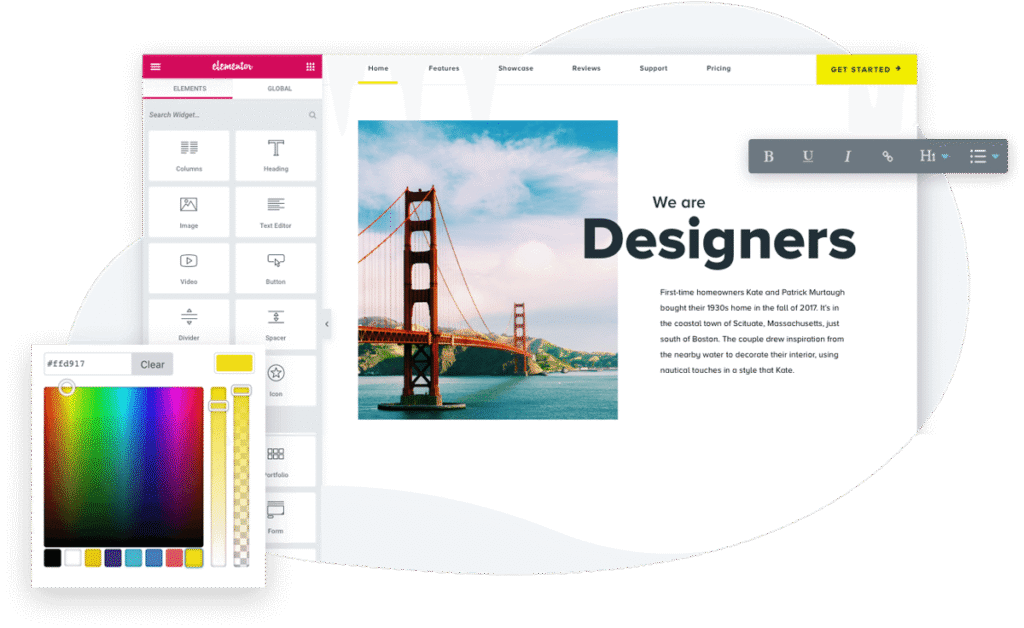
When the Display Conditions UI doesn’t populate correctly, editors cannot define or adjust these rules, effectively blocking a significant aspect of dynamic design and template targeting. The fix restores reliable access to this configuration window, ensuring dynamic site behavior rules can be set and managed without UI errors.Elementor
How These Fixes Compare to Previous Issues
To appreciate the significance of the corrections in 3.33.2, it helps to contrast them with earlier challenges in the 3.33.x series:
- Version 3.33.1 fixed a separate display problem — styles failing to load correctly in admin screens for Custom Fonts and Custom Icons — indicating that the 3.33 line experienced several UI-related glitches as new features and editor enhancements were rolled out.
- Version 3.33.0 introduced larger functional changes like robust element-level Custom CSS and cloud media support, which expanded what designers could achieve without code or external asset management workarounds. However, these enhancements also carried typical growing pains associated with major new capabilities.
In this context, v3.33.2 functions as a stability patch that consolidates earlier improvements, ensuring that editors — particularly those relying heavily on template imports and conditional displays — can operate reliably. There were no further additions to the dynamic tag system or advanced design controls in this patch; rather, its value lies in ensuring the editor and asset workflows perform as expected under diverse conditions.
Why These Fixes Matter for Users
Although patch releases like v3.33.2 may appear modest in scope compared with major version updates, they play a critical role in maintaining professionalism and trust for sites in production:
- Agency and developer confidence: Agencies building sites for clients rely on consistent behavior across templates, assets, and content display logic. Bugs in template imports or conditional editors can disrupt delivery timelines or introduce post-deployment support overhead.
- Content editor productivity: Fixing UI inconsistencies — such as a blank Display Conditions window — prevents content editors from needing technical intervention just to configure rules or manage template visibility.
- Site continuity: Status misreporting for Custom Code and asset types can lead users to delete or reconfigure items unnecessarily, risking unintended design changes or functionality loss. Correct status feedback maintains clarity.
Collectively, these improvements contribute to smoother website management and fewer breakdowns in the content design lifecycle.
How v3.33.2 Fits into Elementor’s Broader Development Strategy
While v3.33.2 primarily resolves targeted issues, it reinforces the overall trajectory Elementor is pursuing — a crucial theme when considering the broader v3.33 series and adjacent updates:
- Continued Editor V4 evolution: Version 3.33.0 expanded tools that are foundational to Editor V4’s vision, such as isolation-aware Custom CSS and dynamic media handling, integrating deeper styling controls directly in the editor interface.
- Incremental refinement: The 3.33.x patch series, culminating in v3.33.2, shows a pattern where major functional enhancements are followed by incremental improvements focusing on UX and editor reliability.
- Foundation for future releases: By correcting these issues in the existing architecture, Elementor ensures a more stable base from which future updates — whether more features, broader dynamic control, or performance enhancements — can be launched with reduced regression risk.
In software development, especially in mature products like Elementor Pro that millions depend on daily, this pattern of introducing features and then refining them through minor versions is common and reflects a commitment to both innovation and quality.
Best Practices for Users Updating to v3.33.2
Given the nature of this release, here are recommended practices for Elementor Pro users planning to update:
1. Backup Before Updating:
Always perform a full site backup (files and database) prior to updating plugins. This safeguards against unexpected interactions with themes or other plugins.
2. Test in a Staging Environment:
Especially for sites with complex display conditions or extensive use of templates, testing v3.33.2 in a staging environment can rule out conflicts before deploying to production.
3. Update Elementor (Free Version) First:
Maintain version alignment between Elementor free and Elementor Pro, as mismatched versions can sometimes lead to update errors or missing features.
4. Clear Caches Post-Update:
After applying the update, clear any caching layers (browser cache, server cache, CDN cache) and regenerate CSS/ data from Elementor’s tools to ensure the latest fixes reflect in the editor and frontend.
Conclusion
Elementor Pro v3.33.2 represents a focused and pragmatic update that prioritizes editor reliability, accurate asset status reporting, and a functional display conditions interface — all critical elements for users managing sophisticated WordPress sites. Unlike larger feature-driven releases, its value lies in correcting workflow disruptions introduced by earlier 3.33.x versions.
For designers, developers, and site administrators, this release enhances confidence in Elementor Pro’s foundational editing experiences, even as the product continues to innovate with broader capabilities like element-level Custom CSS, cloud media saving, and expanded dynamic content support seen in earlier releases.
Overall, while the changes in v3.33.2 may appear incremental, they reflect a commitment to quality and stability that complements the broader feature roadmap of Elementor Pro.
Download Elementor Pro V3.33.2