Comprehensive overview of a Microsoft Office combo installation package integrating productivity suites, Visio, Project, deployment considerations.
Microsoft Combo Installation Package Overview

The Microsoft Combo Installation Package is a consolidated productivity deployment concept that integrates Microsoft Office 2013, Microsoft Office 2016, and Microsoft Office 2019 into a single structured installation framework while also incorporating Microsoft Visio and Microsoft Project. This package is designed to address environments where multiple Office generations must coexist due to compatibility, operational, or training requirements. Rather than being a consumer-oriented bundle, it represents a professional and enterprise-focused solution that emphasizes flexibility, controlled deployment, and broad functional coverage across productivity, planning, and visualization disciplines.
Purpose and Strategic Value of a Combo Installation Package
The primary objective of a Microsoft Combo Installation Package is to provide organizations with the ability to deploy, manage, and utilize multiple Office versions within a unified ecosystem. Many enterprises operate with legacy systems, custom macros, or third-party add-ins that depend on specific Office releases, while simultaneously needing access to newer features introduced in later versions. By combining Office 2013, 2016, and 2019, the package supports backward compatibility, phased migration strategies, and comprehensive testing scenarios. The addition of Visio and Project extends this value by covering advanced diagramming and project management needs that are not met by standard Office applications alone.
Microsoft Office 2013 Package
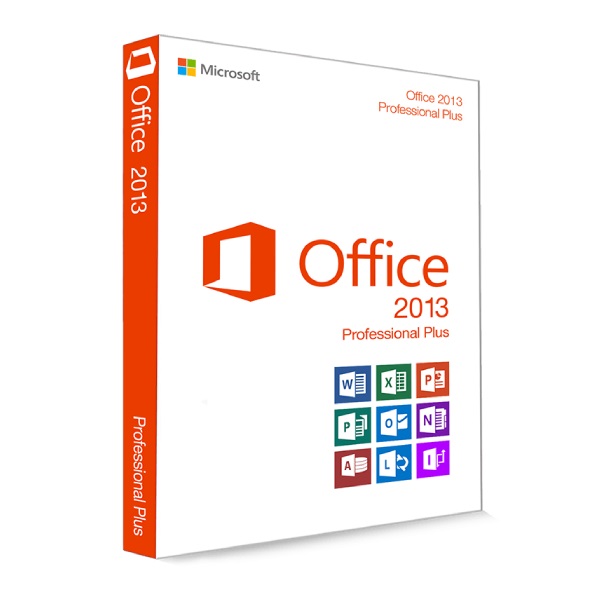
Microsoft Office 2013 represents a significant transitional release in the Office product line, marking Microsoft’s early shift toward modern user interface principles and deeper cloud awareness. In a combo installation package, Office 2013 is particularly valuable for organizations that still rely on older workflows, document templates, or VBA-based automation originally developed during or before this era. Applications such as Word 2013, Excel 2013, and PowerPoint 2013 introduced improved reading modes, enhanced data visualization tools, and a more touch-friendly interface, while still maintaining strong compatibility with legacy file formats. Including Office 2013 in the combo package ensures that users can open, edit, and validate older documents in their native environment, reducing the risk of formatting changes, macro failures, or feature discrepancies. From an IT perspective, Office 2013 also serves as a baseline for compatibility testing, allowing administrators and developers to compare behavior across versions and identify potential issues during upgrade planning.
Microsoft Office 2016 Package
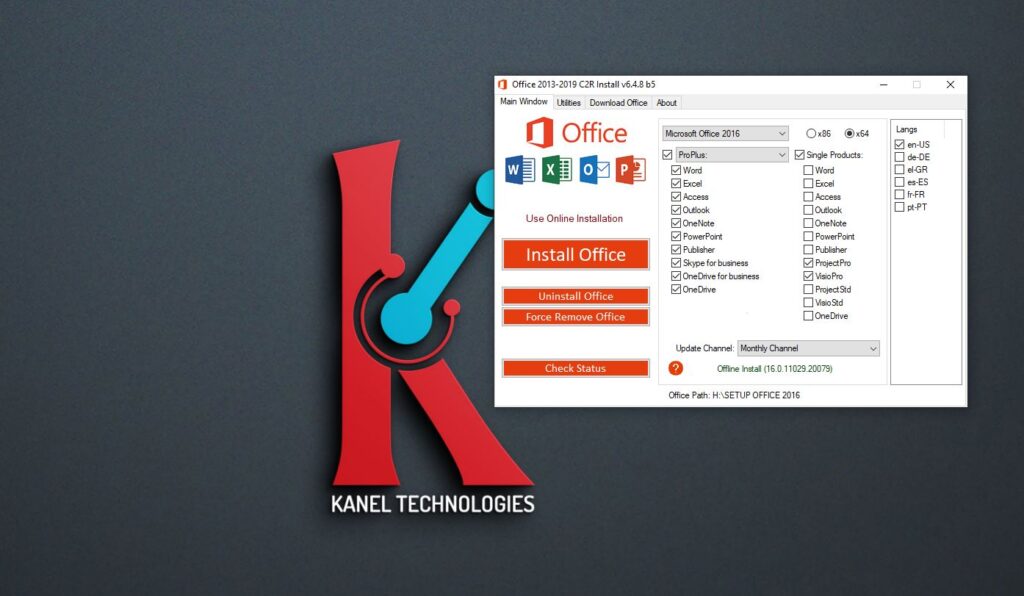
Microsoft Office 2016 builds upon the foundation laid by Office 2013 by strengthening collaboration, integration, and productivity features. In the context of a combo installation package, Office 2016 often acts as a bridge between older perpetual-license environments and more modern productivity expectations. Word 2016 enhanced real-time collaboration and commenting features, Excel 2016 expanded data analysis capabilities through improved Power Query and Power Pivot integration, and PowerPoint 2016 refined presentation design and media handling. Including Office 2016 allows organizations to support users who depend on these mid-generation features while still maintaining compatibility with both older and newer Office releases. Office 2016 is frequently favored in enterprises that require a balance between stability and functionality, making its presence in a combo package essential for environments with diverse user roles and technical requirements.
Microsoft Office 2019 Package
Microsoft Office 2019 represents the most mature and refined iteration among the three versions included in the combo installation package. Focused on performance, security, and advanced features for on-premises deployments, Office 2019 is particularly attractive to organizations that prefer perpetual licensing over subscription-based models. Word 2019 offers enhanced inking and accessibility tools, Excel 2019 introduces powerful data analysis enhancements such as new formulas and improved charting, and PowerPoint 2019 delivers advanced visual effects and presentation features. Including Office 2019 in the combo package enables organizations to leverage modern productivity improvements while maintaining control over their deployment environment. It also provides a forward-looking platform for users whose workflows demand the latest capabilities without transitioning to cloud-only solutions.
Microsoft Visio Package
Microsoft Visio is a specialized application that significantly expands the visual communication capabilities of the Office ecosystem. Within a combo installation package, Visio plays a critical role for professionals who need to create detailed diagrams, process flows, system architectures, and organizational charts. Visio integrates seamlessly with other Office applications, allowing users to embed diagrams into Word documents, link data from Excel, or present visuals directly in PowerPoint. Including Visio alongside multiple Office versions ensures that diagramming workflows remain consistent and compatible across different document environments. For business analysts, engineers, and IT architects, Visio provides standardized templates and shapes that support clarity, accuracy, and professional presentation, making it an indispensable component of a comprehensive productivity package.
Microsoft Project Package
Microsoft Project addresses advanced project management requirements that extend beyond the capabilities of standard Office tools. As part of a combo installation package, Project supports detailed project planning, scheduling, resource allocation, and progress tracking across a wide range of industries. Project enables users to define tasks, dependencies, milestones, and timelines with precision, while offering reporting features that integrate with Excel and PowerPoint for stakeholder communication. Including Microsoft Project ensures that project managers can operate within the same productivity ecosystem as other Office users, facilitating data sharing and collaboration. Its presence in the combo package is particularly valuable for organizations that manage complex, multi-phase projects and require robust tools for planning and control.
Integration and Interoperability Across Packages
One of the defining strengths of the Microsoft Combo Installation Package is the interoperability between its components. Documents created in Word can reference data from Excel, diagrams from Visio, and timelines from Project, all within a cohesive environment. PowerPoint presentations can incorporate charts, schedules, and visual models to deliver comprehensive narratives to stakeholders. This level of integration enhances productivity by reducing duplication of effort and ensuring consistency across deliverables. The ability to choose the appropriate Office version for a specific task further strengthens this interoperability, as users can match tools to requirements without sacrificing compatibility.
Deployment Considerations and Best Practices
Deploying a combo installation package requires careful planning to ensure system stability and compliance. Multiple Office versions must be installed in accordance with Microsoft’s supported coexistence guidelines, often using volume-licensed editions and controlled configuration settings. Disk space, update management, and application isolation are critical factors, as shared components must be managed to avoid conflicts. Clear labeling of application versions and user education are essential to prevent confusion and ensure efficient use of the available tools. When implemented correctly, the combo package can be maintained effectively through centralized management and disciplined update strategies.
Use Cases and Organizational Benefits
The Microsoft Combo Installation Package is particularly well suited for enterprises, educational institutions, training centers, and consulting environments where multiple Office versions are required simultaneously. It supports software testing, migration planning, user training, and role-based application deployment. By providing access to Office 2013, 2016, and 2019 alongside Visio and Project, organizations gain a versatile productivity platform that adapts to evolving needs while preserving operational continuity.
Conclusion
The Microsoft Combo Installation Package that includes Office 2013, Office 2016, Office 2019, Microsoft Visio, and Microsoft Project represents a comprehensive and strategically valuable solution for complex productivity environments. By combining multiple Office generations with advanced diagramming and project management tools, it addresses compatibility challenges, supports diverse professional roles, and enables informed migration planning. When deployed with appropriate technical governance and licensing discipline, this all-in-one package delivers significant operational flexibility and long-term productivity benefits across the modern workplace.